Activate Your Eastel SIM Card – Register Online in Minutes
How to Register Your Eastel SIM Card – Step-by-Step Guide

Get Started: Click the "Register" Button
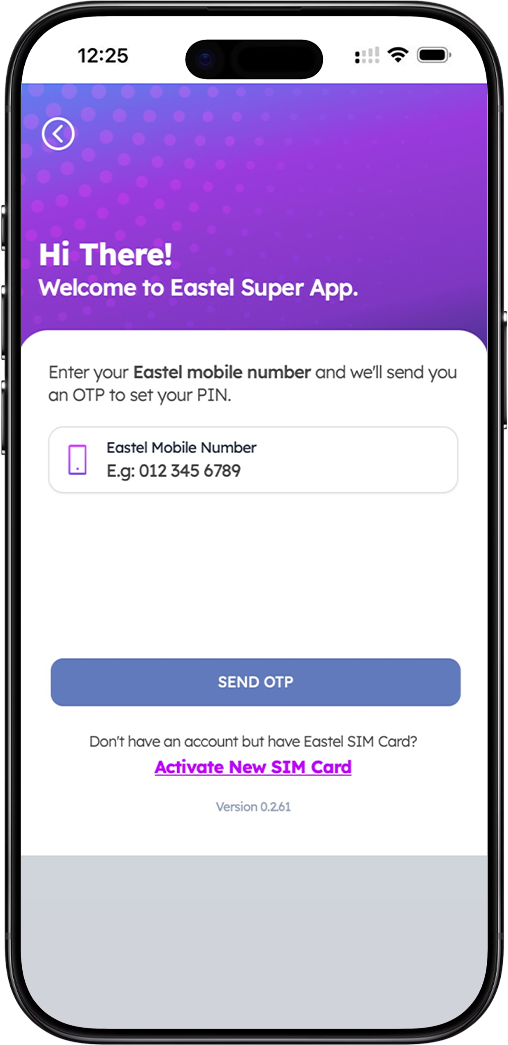
To begin, click the "Register" button on this page. You will be directed to the Eastel SIM card registration portal, where you can complete your new SIM activation in just a few steps.
Step 1 – SIM Registration
Enter your Eastel SIM card details to initiate the registration. This links your SIM to your profile and begins the activation process.
Step 2 – Mobile Number Selection
Choose your preferred mobile number from the available options. Select the number that best suits you before proceeding to identity verification.
Step 3 – ID Verification
Upload a clear photo of your IC, passport, or other accepted identification document. You may also be required to complete a quick facial recognition or selfie verification to confirm your identity.
Step 4 – Submit Application
Review all your details carefully and submit your Eastel SIM card registration application. Once approved, your SIM will be activated and ready to use.
Why Register Your Eastel SIM Card Online?
Quick & Hassle-Free Activation
Registering your Eastel SIM card online takes just a few minutes — no queues, no store visits. Complete everything from the comfort of your home, anytime.
Stay Connected Without Delay
Once your Eastel SIM card registration is verified and approved, you can start making calls, sending messages, and using mobile data immediately.
Secure & Compliant Registration
Your identity is verified securely in line with regulatory requirements. Eastel uses a straightforward ID verification process to protect your account and number.
What You Need Before Registering Your Eastel SIM Card
Eastel SIM Card
Make sure you have your Eastel SIM card ready before starting the registration process. The SIM card number will be required during registration.
Valid Identity Document
Prepare your Malaysian Identity Card (IC), passport, or other accepted identification documents. This is required for the mandatory ID verification step.
Good Lighting Conditions
Ensure you are in a well-lit environment. Clear lighting helps the system accurately capture and verify your identity document and selfie during the process.
Stable Internet or Wi-Fi Connection
A reliable internet or Wi-Fi connection is essential to complete your Eastel SIM card registration without interruption or data loss.
Frequently Asked Questions About Eastel SIM Registration
How long does Eastel SIM card registration take?
The registration process typically takes less than 10 minutes when all required documents and a stable internet connection are ready.
What identification documents are accepted?
Eastel accepts Malaysian Identity Cards (IC), passports, and other valid government-issued identification documents for SIM registration.
Can I register my Eastel SIM card on behalf of someone else?
No. Each SIM card must be registered under the actual user's identity in accordance with Malaysian telecommunications regulations.
What happens after I submit my registration?
Your application will be reviewed and verified. Once approved, your Eastel SIM card will be activated automatically. You will receive a confirmation notification.
Ready to Get Connected?
Register your Eastel SIM card now and enjoy seamless connectivity. The whole process takes less than 10 minutes — all online, all hassle-free.
